Welcome to your new blog
A guided tour of everything this blog can do — math, code, 3D models, point clouds, sliders and scroll animations.
Welcome! This post is a live demo of every content type the blog supports.
Use it as a reference and delete it whenever you’re ready. To create a new
post, run npm run new "My post title".
Writing and math
You write in Markdown, and math is rendered with KaTeX. Inline math like the softmax flows with the text, and display math gets its own line:
Code blocks come with syntax highlighting that adapts to dark mode:
import torch
import torch.nn.functional as F

def attention(q, k, v):
    d_k = q.size(-1)
    scores = torch.matmul(q, k.transpose(-2, -1)) / d_k ** 0.5
return torch.matmul(F.softmax(scores, dim=-1), v)Interactive 3D models
Drop a .glb, .gltf, .obj, .stl or .ply file into public/models/ and
embed it with <Model3D />. Below is a hand-authored demo octahedron
(public/models/demo.obj):
Point clouds
Visualize SLAM / depth-sensor output as .ply point clouds. The example below
is a generated spiral (public/pointclouds/spiral.ply) with per-vertex colour:
Image sliders
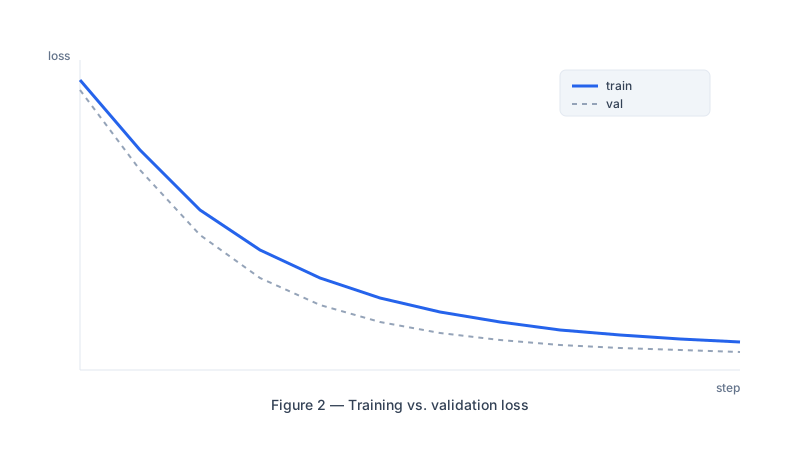
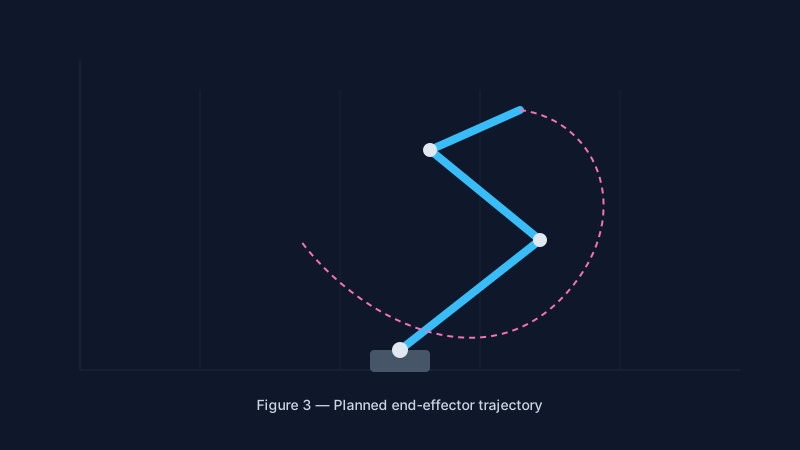
Compare results frame by frame. Provide an array of images and captions:
Figures and callouts
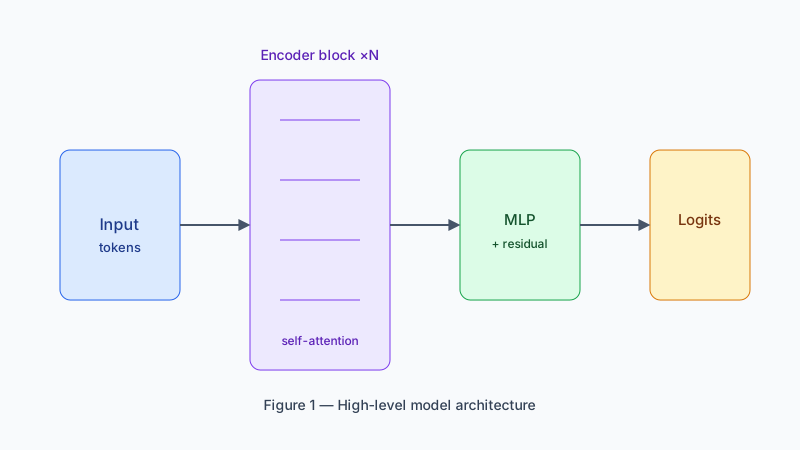
A plain responsive figure with a caption:
Animations
Wrap any block in <Animate> to fade it in as the reader scrolls:
“The frontier of AI is not just bigger models — it is better tools for understanding them.” — paraphrased from every researcher, ever.
And <Scrolly> adds a subtle parallax drift tied to scroll position:
Export to LaTeX
When a post is ready for a paper, export it:
npm run export:tex welcomeText, math, code, lists, headings and images convert to LaTeX. Interactive elements (the 3D viewer, the slider, the animations above) have no LaTeX equivalent, so they are left out automatically. To go the other way and turn an existing paper into a draft post:
npm run import:tex path/to/paper.texThat’s everything. Happy writing.